In Smarty, starting with version 1.88, commands are available with which you can create a backup and recover data from it.
Backup
The command to run the backup creation script:smarty_backup
Once completed, a copy of the current configuration will be created. During the execution of the script, information about the process of its execution will be displayed on the screen.
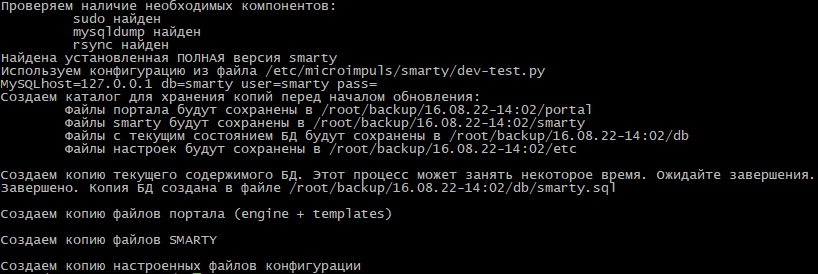
If the process of executing the script passed without errors, then a folder will be created in the user folder (on whose behalf the script was executed) backupA place where backups will be stored. Each individual recovery point will be stored in a separate folder, the name of which will be formed according to the principle DD. MM. GHG-CH:MMthis indicates when the backup was made.

In the backup folder, the data will be stored by separate folders:
portal files — in folder /portal;
smarty files in the folder /smarty;
dB files — in the folder /db;
settings files — in folder /etc.

Backup recovery
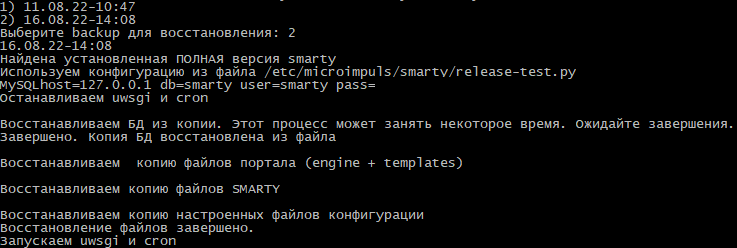
Recovery from the backup is carried out with the help of a team smarty_recovery. After its launch, you will be asked to select a recovery point. The choice is provided based on the data present in the folder backup the user launching the command.
Once the recovery point is selected, the recovery process will start. During the recovery, information about the process of its implementation will be displayed on the screen.